Brand
The logo in its three configurations, the files to download, the colours and type, and the rules that keep them consistent wherever they appear. Everything here is for use when representing or working with Worth Avenue Yachts.
Always Worth Avenue Yachts
The brand name is precise and non-negotiable. No abbreviations, shortenings or informal variants, in any medium, at any size. The one exception: WAY may be used when naming digital files.
Correct
- Worth Avenue Yachts
- WORTH AVENUE YACHTS
Never
- Worth Ave Yachts
- WAY / W.A.Y.
- Worth Yachts
- Lake Worth Yachts
- worth avenue yachts
- Let Us Take You ThereCampaign and collateral use
- The Worth Avenue Yachts’ DifferenceCampaign and collateral use
- Life Begins on the Water®Registered mark. Always include the ®
Three configurations. No exceptions.
The logo exists in three approved configurations. Use only the supplied files, shown here on the three grounds they are made for: light, dark and Worth Orange. No modifications, effects or reinterpretations are permitted under any circumstances.
Primary configuration
Stacked
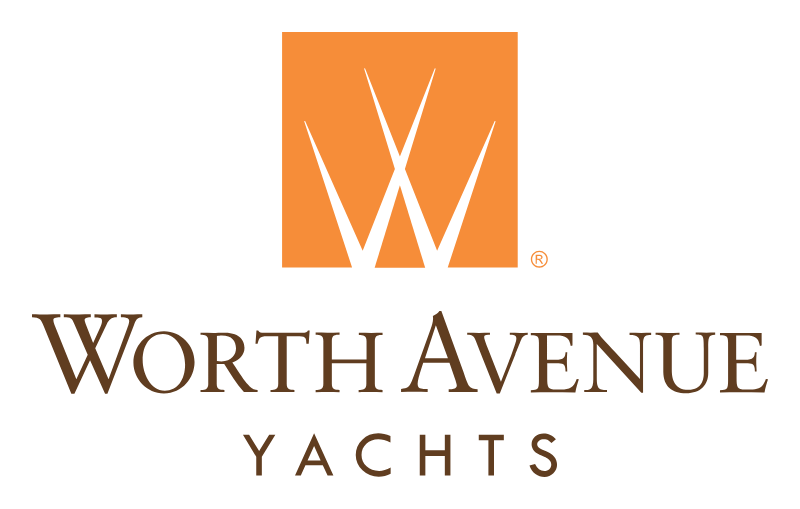
The W tile above the wordmark. The default for stationery, cards, covers, social and signage: whenever the space is square or tall enough, this is the logo.


Alternate configuration
Horizontal
The tile beside the wordmark, for wide and shallow spaces where the stacked logo would be too small to read: website headers, email signatures, document footers, banners.
Icon-only application
Solo W mark
The W on its own, with its ®. Only where the name is already present or the space cannot carry it: app icons, favicons, card backs, watermarks, the corner of a slide. In Worth Orange on light and dark grounds; white on orange.


The tile
An orange square with a W cut clean through it: two tall Vs drawn as one stroke, meeting in a fine point at the base. Because the W is negative space it takes the colour of whatever the tile sits on: ivory on the page, orange on the site header, the photograph behind it on a cover. Never fill the W in.
The wordmark
Worth Avenue is set in Sabon small capitals, with Yachts letter-spaced wide beneath it in Futura. Both lines are Worth Brown on light grounds and white on dark ones. The lettering is outlined in every file, so nothing depends on a font being installed.
The ®
The registered mark sits at the foot of the tile in both lockups and beside the solo W. It is part of the artwork: never remove it, move it or resize it.
Files
Every configuration in colour, white knockout and black knockout. SVG for anything digital, vector PDF for print, PNG for email and Office. Use black or white only when no other option exists.
Which file do I need?
- Email signature
- worth-avenue-yachts-horizontal-email-600.png, placed 180 to 200 px wide. Signature layouts vary by role; the marketing department supplies the template.
- Word, PowerPoint, Google Docs
- worth-avenue-yachts-stacked-email-800.png, or the SVG in PowerPoint and Keynote.
- Printers, signage, merchandise
- worth-avenue-yachts-stacked.pdf and the Pantone references, plus the horizontal PDF where the space demands it.
- Partners’ websites, apps, co-branding
- worth-avenue-yachts-stacked.svg and the horizontal SVG. Worth Orange must dominate over brown in any dual-branded context.
- Dark slide, photograph, video end card
- worth-avenue-yachts-stacked-white.svg or the white 1200 px PNG. The solo W may stay orange on dark grounds.
- Social profile picture, link preview
- worth-avenue-yachts-avatar-512.png and worth-avenue-yachts-social-1200x630.png.
Primary configuration
Stacked
The logo. Use it wherever the space allows: stationery, business cards, covers, social, signage and the corner of every brochure page.
- worth-avenue-yachts-stacked.svg 8 KB SVG, colour. The master; scales to any size.
- worth-avenue-yachts-stacked-white.svg 8 KB SVG, white knockout, for dark grounds and orange.
- worth-avenue-yachts-stacked-black.svg 8 KB SVG, black knockout, for single-ink print.
- worth-avenue-yachts-stacked.pdf 5 KB PDF, vector, colour. For printers and designers.
- worth-avenue-yachts-stacked-black.pdf 5 KB PDF, vector, black knockout.
- worth-avenue-yachts-stacked-1200.png 59 KB PNG 1200 px wide, colour, transparent.
- worth-avenue-yachts-stacked-white-1200.png 44 KB PNG 1200 px wide, white knockout, transparent.
- worth-avenue-yachts-stacked-email-800.png 31 KB PNG 800 px wide on white. Word, PowerPoint, Google Docs.
- worth-avenue-yachts-social-1200x630.png 29 KB Share image, 1200 × 630 px on Worth Orange. Link previews, default Open Graph image.
Alternate configuration
Horizontal
For wide, shallow spaces where the stacked logo would be too small to read: website headers, email signatures, document footers, banners.
- worth-avenue-yachts-horizontal.svg 8 KB SVG, colour.
- worth-avenue-yachts-horizontal-white.svg 8 KB SVG, white knockout.
- worth-avenue-yachts-horizontal-black.svg 8 KB SVG, black knockout.
- worth-avenue-yachts-horizontal.pdf 5 KB PDF, vector, colour.
- worth-avenue-yachts-horizontal-black.pdf 5 KB PDF, vector, black knockout.
- worth-avenue-yachts-horizontal-1200.png 41 KB PNG 1200 px wide, colour, transparent.
- worth-avenue-yachts-horizontal-white-1200.png 30 KB PNG 1200 px wide, white knockout, transparent.
- worth-avenue-yachts-horizontal-email-1200.png 35 KB PNG 1200 px wide on white. Word, PowerPoint, letterheads.
- worth-avenue-yachts-horizontal-email-600.png 17 KB PNG 600 px wide on white. Email signatures — place it at 180 to 200 px.
Icon-only application
Solo W mark
The W with its ®, for places the name is already present or the space is too small to carry it: app icons, favicons, card backs, watermarks, the corner of a slide.
- worth-avenue-yachts-w.svg 2 KB SVG, Worth Orange.
- worth-avenue-yachts-w-white.svg 2 KB SVG, white knockout.
- worth-avenue-yachts-w-black.svg 2 KB SVG, black knockout.
- worth-avenue-yachts-w.pdf 2 KB PDF, vector, Worth Orange.
- worth-avenue-yachts-w-black.pdf 2 KB PDF, vector, black knockout.
- worth-avenue-yachts-w-512.png 26 KB PNG 512 px, Worth Orange, transparent.
- worth-avenue-yachts-w-white-512.png 21 KB PNG 512 px, white knockout, transparent.
Solo white W on solid orange
Avatar and favicon
The business-card back as a square: solid Worth Orange, the white W centred. For profile pictures, app icons and browser tabs — the ® is left off at these sizes because it cannot be read.
- worth-avenue-yachts-avatar.svg 775 B SVG, square.
- worth-avenue-yachts-avatar-512.png 12 KB PNG 512 px. Profile pictures, Google Business, YouTube, LinkedIn.
- worth-avenue-yachts-avatar-192.png 4 KB PNG 192 px. Android home-screen icon.
- worth-avenue-yachts-avatar-180.png 4 KB PNG 180 px. Apple touch icon.
- worth-avenue-yachts-avatar-32.png 631 B PNG 32 px. Favicon.
- favicon.ico 2 KB ICO with 16, 32 and 48 px sizes.

Rooted in orange. Extended with restraint.
Worth Orange is the brand’s singular differentiator and stays the dominant accent across all materials. The supporting palette is a set of warm neutrals for editorial, digital and environmental use, replacing heavy use of pure black and white. Use the values exactly.
-
PrimaryWorth Orange#F68D39rgb(246, 141, 57)CMYK 0·54·87·0Pantone 716 C / 144 U
The brand's singular differentiator. The dominant accent everywhere; it must outweigh brown in any dual-branded context.
-
BrandWorth Brown#603D20rgb(96, 61, 32)CMYK 48·72·87·50Pantone 161 C / 1545 U
The wordmark, and the brand's second colour in print.
-
Dark groundRich Espresso#1C1714rgb(28, 23, 20)
Dark backgrounds, premium digital contexts, presentation covers.
-
Text / UIGraphite#3A3A3Argb(58, 58, 58)
Body copy and UI elements. Replaces pure black.
-
BackgroundWarm Ivory#F7F4EFrgb(247, 244, 239)
Page and card backgrounds. Replaces pure white.
-
SecondarySoft Sand#DDD0B8rgb(221, 208, 184)
Lifestyle sections, secondary backgrounds, dividers and rules.
-
Dark modeCharcoal#1E1E1Ergb(30, 30, 30)
Dark-mode UI, video overlays, presentation backgrounds.
-
Text groundWarm White#FAFAF7rgb(250, 250, 247)
Light UI surfaces and print backgrounds.
In print
- Spot colour (Pantone) for coated and uncoated stock. Coated: 716 C orange, 161 C brown. Uncoated: 144 U orange, 1545 U brown.
- CMYK only when spot printing is not possible.
- Always give printers the Pantone references, and proof before any run over 250 pieces.
Everywhere
- RGB for all web and digital applications: the hex values above.
- Never rely on pure #000000 black or pure #FFFFFF white; draw from the palette. Black and white logos are for when no other option exists.
- Navy and blue-adjacent tones are deliberately excluded. Every competitor defaults to navy; the warm, orange-forward palette is the point.
Typography
A two-family system. Instrument Serif, in Regular and Italic, carries editorial weight at the display level and nowhere else. Avenir Next handles everything structural and functional. Fewer weights, more breathing room.
Primary serif, display use only
Your next yacht may never hit the market.
Instrument Serif Regular & Italic
Hero headlines and pull quotes. Emotional, editorial, sparingly applied: one serif moment per spread, maximum. Never in body copy, never bold. It is an open-source face, free to install anywhere.
Primary sans, all functional use
Avenir Next
Ultra Light · Regular · Medium · Demi Bold
Navigation, body copy, data, labels and UI. Body at 16 px with 1.7 line height. Avoid the Heavy weight and overuse of Bold.
Avenir Next is a licensed typeface. It is installed on every Mac, iPhone and iPad, so this specimen shows the real face there; on other devices it falls back to a system sans. Ask the marketing department for the licensed files before using it in print or on the web.
| Usage | Typeface | Weight / style |
|---|---|---|
| Hero headlines | Instrument Serif | Regular & Italic |
| Large display statements | Avenir Next | Ultra Light |
| Navigation | Avenir Next | Medium |
| Body copy | Avenir Next | Regular |
| Data and specifications | Avenir Next | Medium |
| Labels and UI elements | Avenir Next | Demi Bold |
| Pull quotes | Instrument Serif | Italic |
The wordmark
Worth Avenue is Sabon in small capitals; Yachts is Futura in capitals, letter-spaced wide. Both live only inside the logo files, where they are outlined, so no font is needed to use the logo. Do not re-set the name in these faces or any other: use the lockups.
On the website today
Montserrat
worthavenueyachts.com currently runs Montserrat for headings and body, with Source Sans Pro surviving in older page templates. Bringing the site into line with the two-family system is a separate project; until then, match the website when you are extending it, and the system above for everything else.
Clear space and size
Keep a margin of at least twice the cap height of the wordmark free on all four sides, for every configuration. That zone stays free of type, images and texture. On stationery the logo sits upper centre; on envelopes, upper left.
| Form | Minimum width |
|---|---|
| Stacked | 90 px on screen24 mm in print |
| Horizontal | 150 px40 mm |
| Solo W mark | 24 px6 mm |
| Avatar | 16 pxBrowser tabs and the smallest icons |
The guidelines set the clear space; the minimum widths are working values below which the ® and the letter-spaced Yachts stop resolving.
In use
Two placements straight from the guidelines, at the size they are actually used.
Business card
Front: white stock, the stacked logo, the name in capitals in Worth Orange, office details beneath. Back: solid orange with the solo white W centred. That back is also the avatar.
Over a photograph, use the white knockout on a darkened area, anchored to a corner. Never as a watermark in the centre of the image, and never with transparency.

Using the logo
Do
- Use only the supplied, approved files. Every configuration, colour and format you should need is above.
- Match the file to the ground. Colour on light grounds; white knockout on dark grounds, photographs and Worth Orange.
- Choose the configuration by the space. Stacked first; horizontal for wide, shallow spaces; the solo W only where the name is already present.
- Keep the clear space of twice the cap height, and stay above the minimum sizes.
- Give printers the vector PDF and the Pantone references. Send this page to anyone who asks for a logo.
Do not
- Tilt, rotate or skew the logo.
- Alter the approved colours in any way, or introduce off-brand variants.
- Use gradients, transparency or filters.
- Contain the logo within a shape.
- Distort or stretch its proportions, or change the size relationships of the tile, wordmark and ®.
- Place the logo inline within body text.
- Re-set the name in Sabon, Futura or any other face, or reuse an old logo from a previous email.